Solution
Draft the bill from what happened on the job — then you decide what to add.
Turn job notes into reviewed estimate and invoice line items, starting with matches from your pricebook.
Best for
AI Line Items
Owners and office staff who write estimates and invoices from field notes and want a first draft without handing billing to the model.
Start free trialSee the draft before it becomes a line
Sample-data captures from the native app, not a live customer.
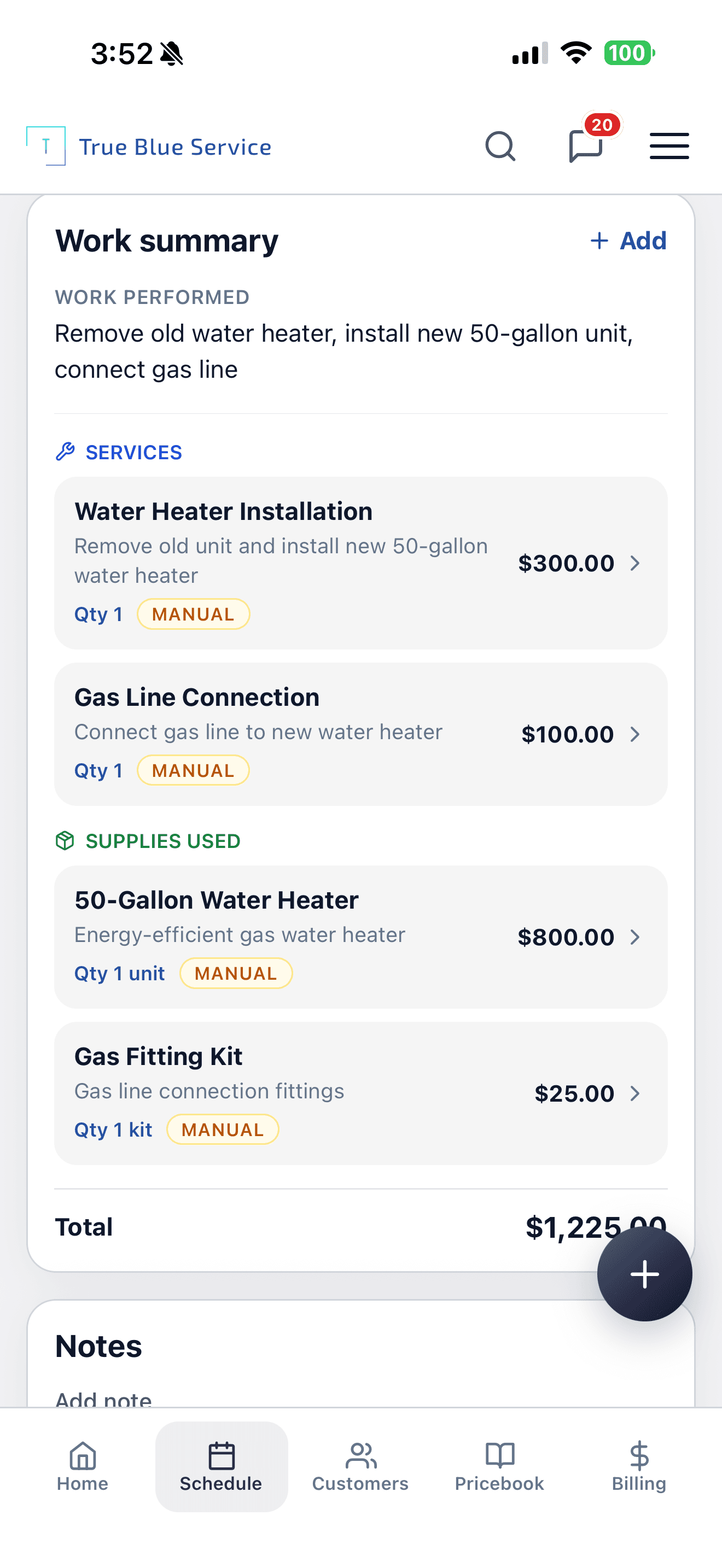
The assistant starts from job notes like this work summary.
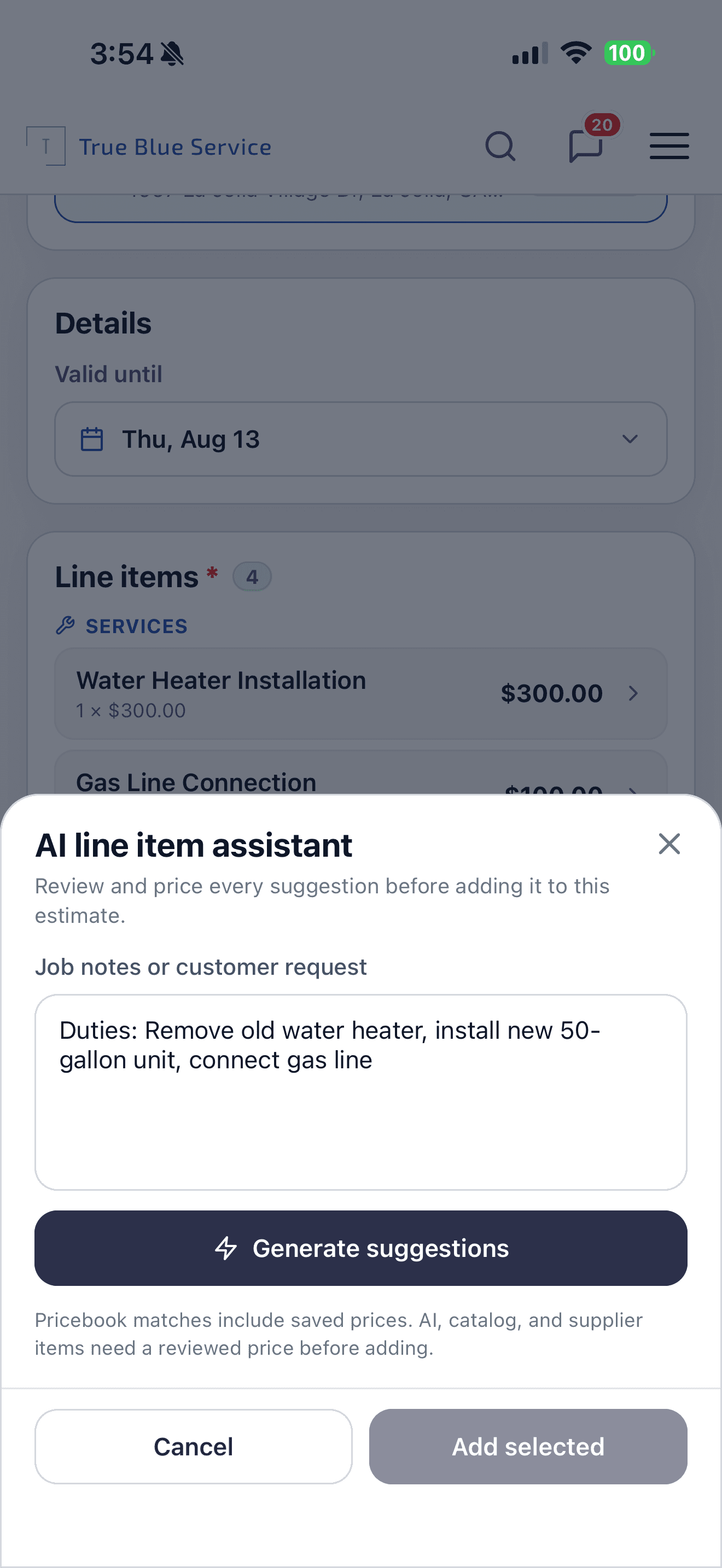
Paste the job notes, then generate a draft. Generate is never automatic.
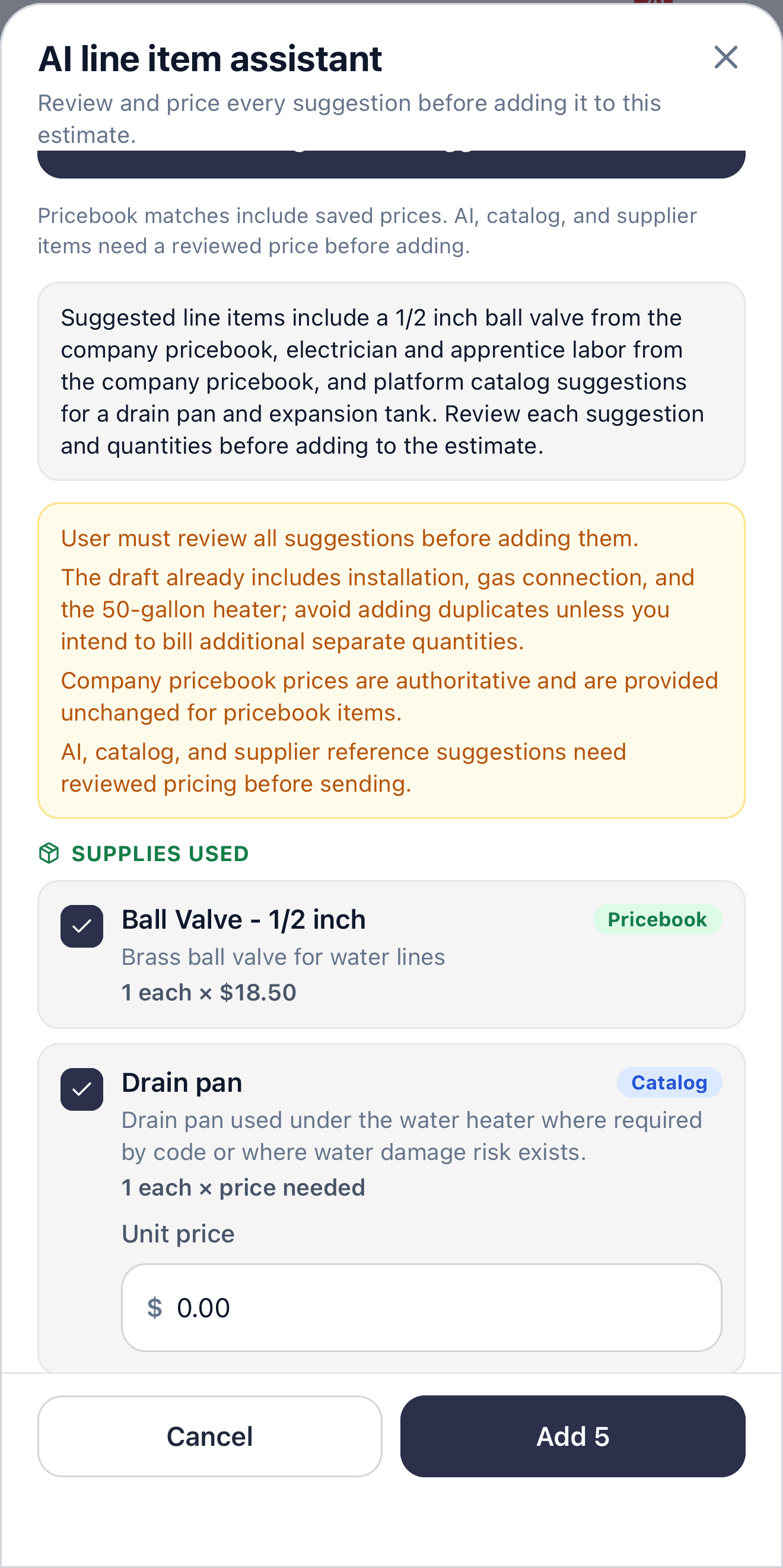
Review, uncheck, and price every suggestion before anything is added.
From job notes to a reviewed bill
- 1
Start from the job notes
Use what happened on the job — work performed and human-authored notes. The assistant does not invent a bill from a blank page.
- 2
Ask for a draft
Generate suggestions from those notes. It checks your company pricebook first, then catalog or supplier references that still need a reviewed price.
- 3
Review every suggestion
Uncheck duplicates, edit quantities, and enter a price on anything that is not already in your pricebook. Catalog and AI ideas do not carry a saved company price.
- 4
Add only what you confirm
Selected lines go onto the estimate or invoice you already have open.
Example: Turning repair notes into invoice items
A technician documents a 50-gallon swap and gas line on the work summary. The office opens the assistant, generates suggestions, keeps the pricebook ball valve, prices the catalog drain pan, and adds only the lines they accept.
Draft lines from job notes and your pricebook
The assistant suggests estimate and invoice line items from what happened on the job. It checks your company pricebook first so the draft is grounded in how you already price work.
Open it from the estimate or invoice
Office staff can draft on estimates and invoices on the web and in the iOS and Android app. Technicians can draft on an invoice when your company allows field invoice create.
How True Blue Service helps
Suggest line items from job notes and your company pricebook
Pricebook matches keep your saved prices; catalog ideas still need a price
Add selected lines to the estimate or invoice you already have open
Questions owners ask before they trust the assistant
- Does it send the estimate or charge the customer?
- No. You review every suggestion before it is added. Sending the estimate or invoice, charging a customer, and saving a pricebook item stay manual actions.
- Where do the prices come from?
- Pricebook matches include your saved prices. Catalog, supplier, and AI-only suggestions need a reviewed price before you can add them. Your company pricebook stays the source of truth.
- Does it work on estimates and invoices?
- Yes. Office staff can use it on estimates and invoices on the web and in the iOS and Android app. Technicians can use it on an invoice when your company allows field invoice create.
- Is it included on every plan?
- Yes. AI line item suggestions are included on every plan. Generate still waits for notes, and it is never automatic.
See the quote and the bill it drafts into
Explore more
Related industries
Explore more
Related pages
Scheduling
Book jobs, assign technicians, and keep the day clear for the office and the field.
Mobile App
Give technicians a native iOS and Android app for jobs, photos, notes, and signatures — the same account as the office.
Customer Management
Keep customer details, service addresses, notes, files, and history in one place.
Want to see it with your workflow?
Start a trial, review pricing, or keep browsing before you decide.