Solution
Make it easier to invoice finished work and collect payment.
Send invoices for completed work and let customers pay online.
Best for
Invoices & Payments
Teams that want invoices, payment status, and job history in one place without chasing separate records.
Start free trialSee the invoice the office sends
Sample-data captures from the office invoice, not a live customer.
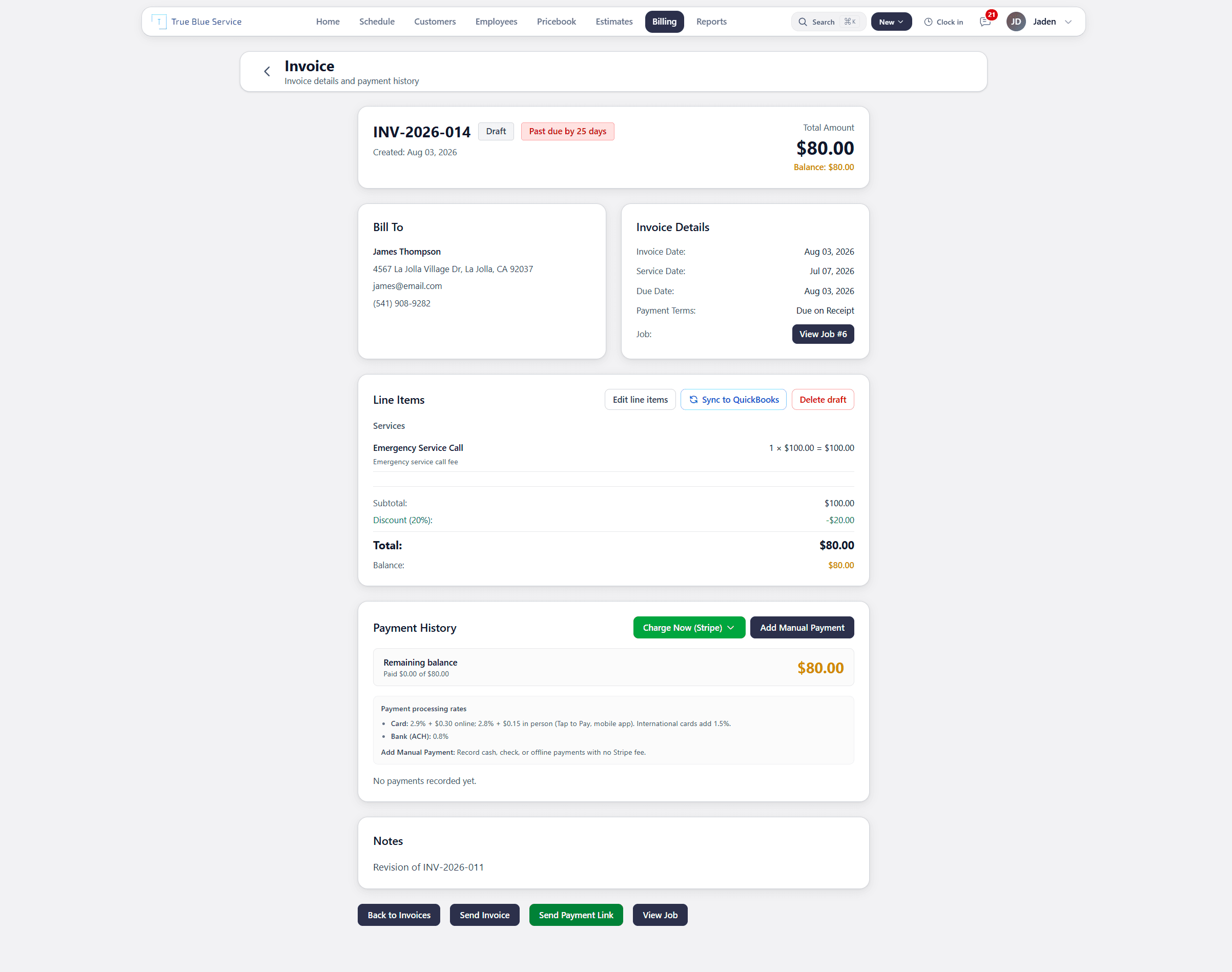
The invoice stays on the same customer and job. Send it, collect through Stripe, or record a payment.
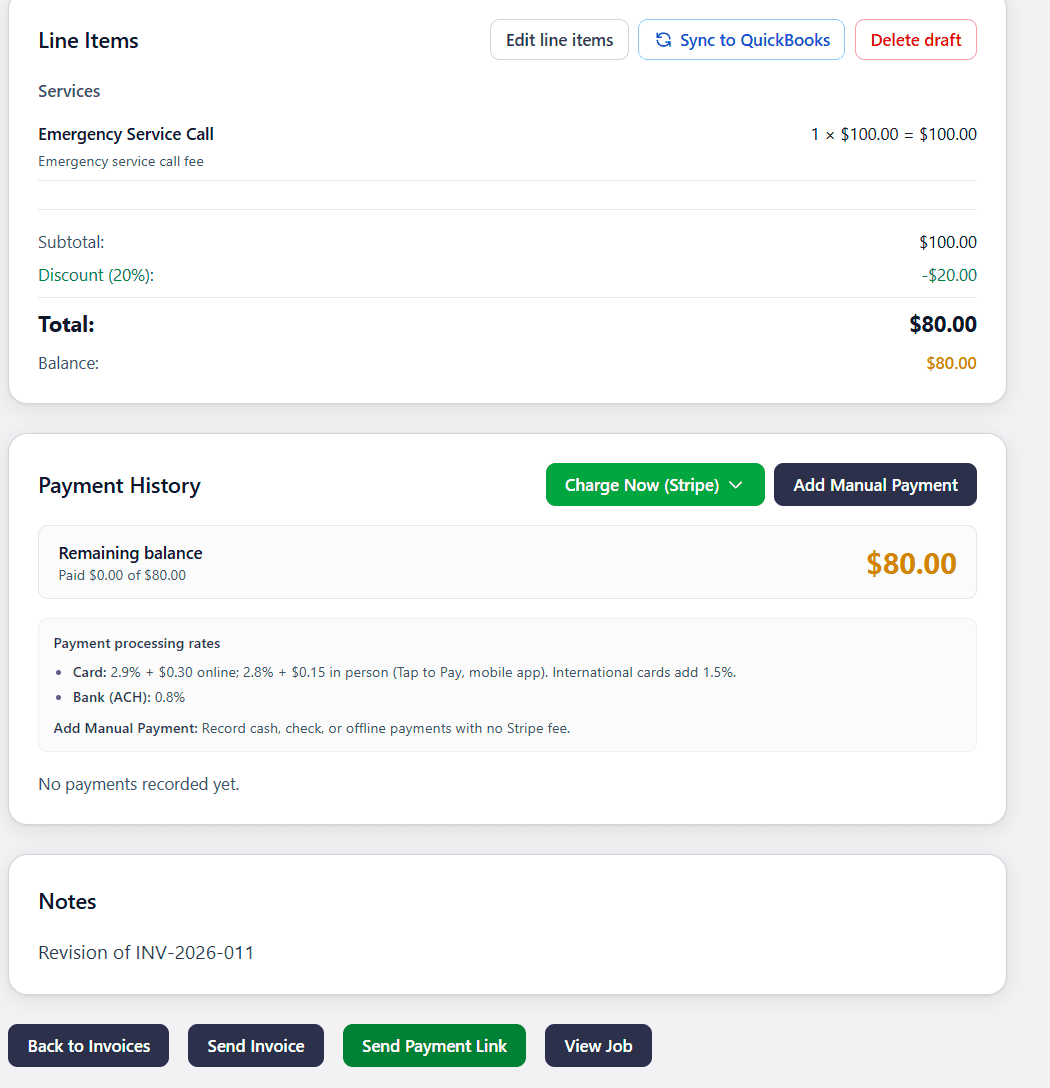
Customers can pay from a login-free link. You can also collect through Stripe or log cash and check.
From the completed job to paid
- 1
Build the invoice
Add line items from the job or your pricebook, then set tax, discounts, and payment terms. Timing and history stay on the same record as the visit.
- 2
Send the bill
Email the invoice with a payment link the customer can open without creating an account. Completing the job does not send the invoice by itself.
- 3
Collect payment
Customers pay online by card or bank through Stripe. The office can also Charge Now or record cash and check so the balance stays accurate.
- 4
Keep status on the job
Payment history and remaining balance stay on the invoice tied to the job. The office and the field see the same paid or unpaid record.
Example: A service call paid from a link
The office invoices James Thompson's emergency service call: $100, 20% off, $80 due. They send a payment link. He pays by card without creating an account. If he had paid cash on site, Add Manual Payment would log it with no Stripe fee.
Invoice the completed job
Create invoices from finished work and keep payment status on the same record as the job. Send a link the customer can open from email.
Collect online or record what you already took
Customers can pay online through Stripe by card or bank. You can also record manual payments such as cash or check so balances stay accurate.
How True Blue Service helps
Send invoice links customers can open from email
Collect online payments through Stripe
Keep invoice and payment status connected to the job
Questions owners ask before they send a bill
- Does the customer need an account to pay?
- No. Send Payment Link opens a login-free page. They choose card or bank and pay without signing in.
- Can customers pay by card and bank?
- Yes. Online card and ACH go through Stripe on your connected account. That needs Stripe Connect. Recording cash or check does not.
- Can I record cash and check?
- Yes. Add Manual Payment logs cash, check, or another payment you already took, with no Stripe fee. The invoice balance updates.
- Does finishing the job send the invoice?
- No. You send it when the bill is ready. Technicians can create an invoice in the field only when your company allows it.
See the quote and the books around this bill
Explore more
Related industries
Explore more
Related pages
Scheduling
Book jobs, assign technicians, and keep the day clear for the office and the field.
Mobile App
Give technicians a native iOS and Android app for jobs, photos, notes, and signatures — the same account as the office.
Customer Management
Keep customer details, service addresses, notes, files, and history in one place.
Want to see it with your workflow?
Start a trial, review pricing, or keep browsing before you decide.