Solution
Keep the field on the same job the office just scheduled.
Give technicians a native iOS and Android app for jobs, photos, notes, and signatures — the same account as the office.
Best for
Mobile App
Crews that want technicians updating jobs from a phone, without a separate field system or a clunky mobile website.
Start free trialSee the job on a phone
Sample-data captures from the native app, not a live customer.
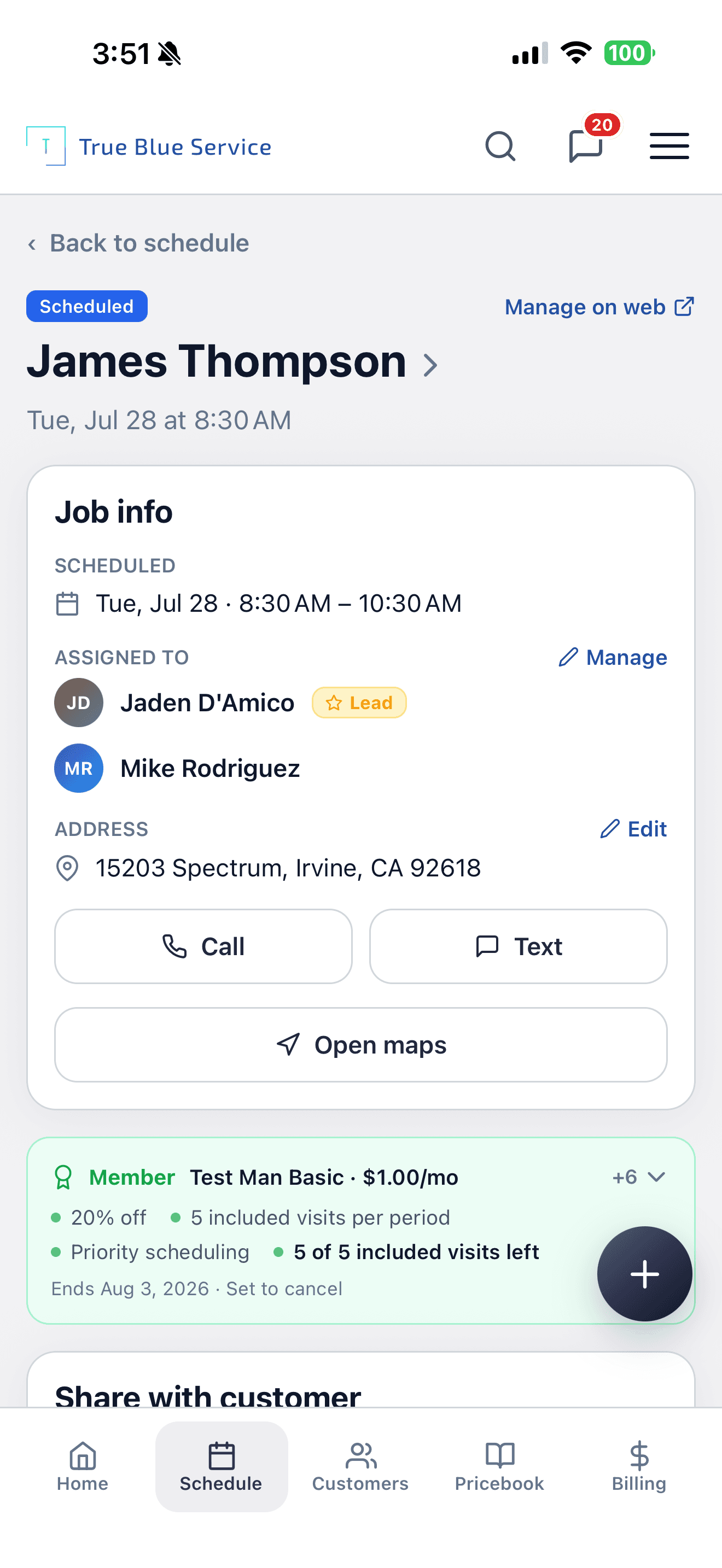
Open the assigned job: customer, crew, address, call, text, and maps.
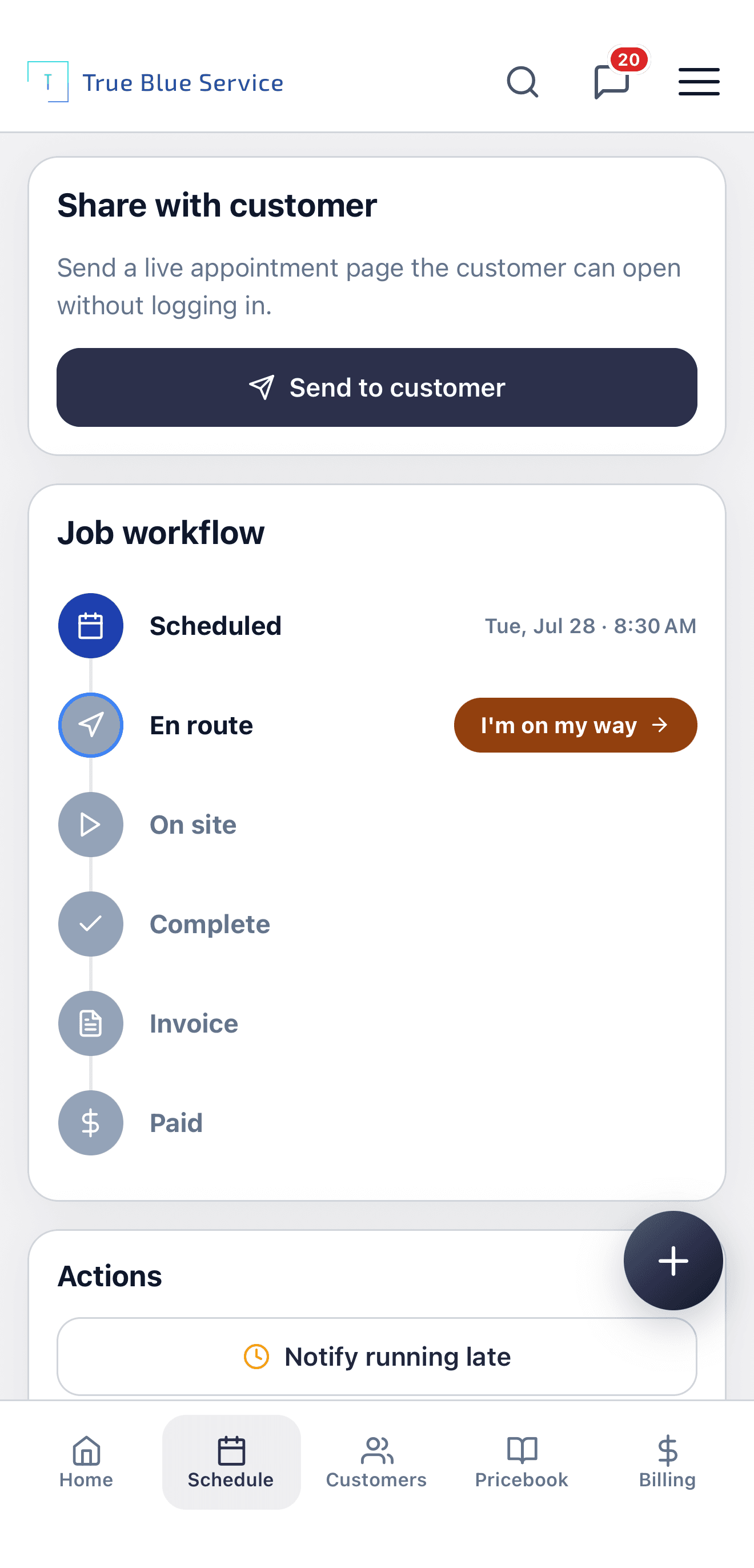
Update status on site so the office sees the visit moving.
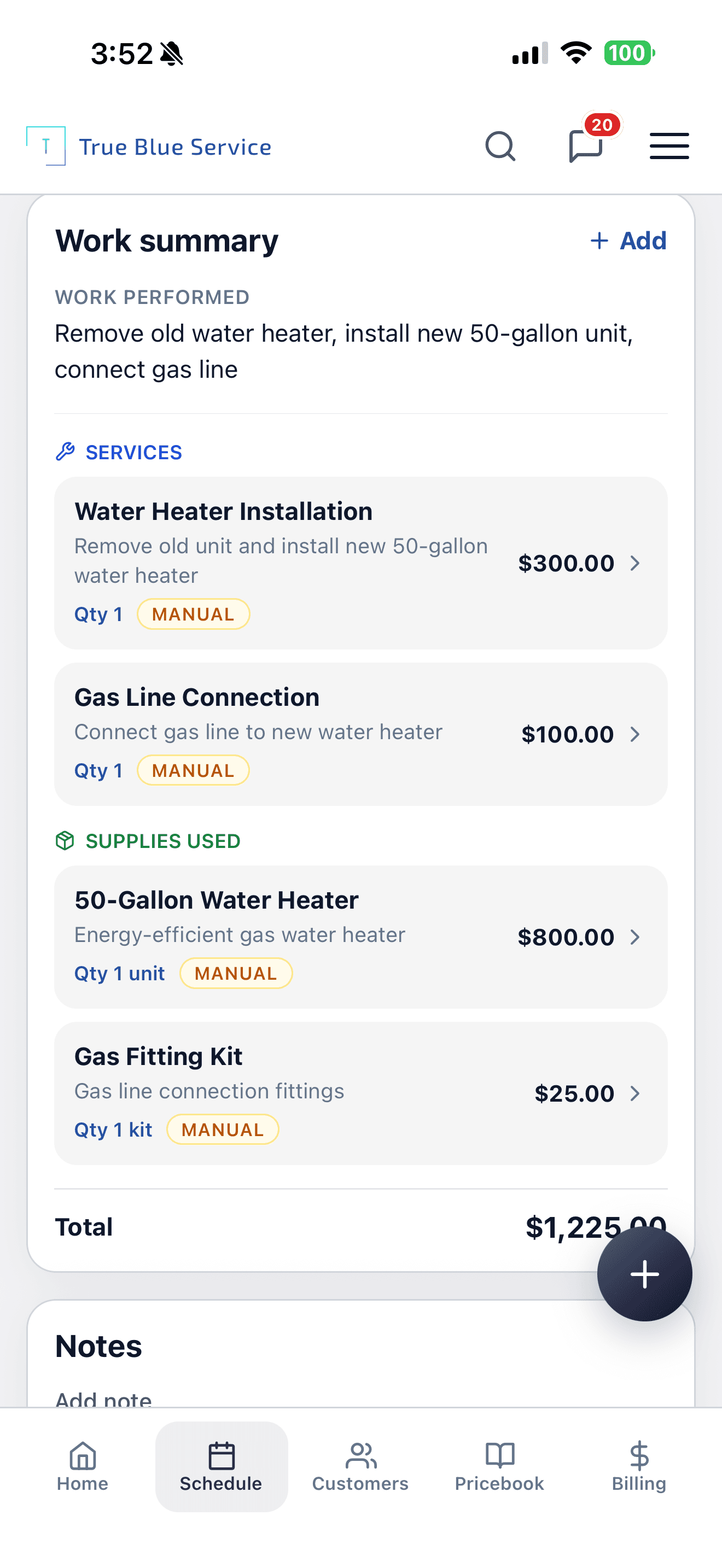
Document the repair with a work summary before you leave.
From assigned job to documented visit
- 1
Open the assigned job
The office books the visit. The technician opens it from Today's jobs or the schedule. Customer, address, and crew are already on the record.
- 2
Update status
Mark en route and on site from the job workflow so the office can see the visit is moving.
- 3
Document the work
Add photos, notes, and a work summary of services and supplies while you are still on site.
- 4
Collect a signature
Capture a customer signature on the job when you need one. Completing the visit does not by itself send an invoice.
Example: A water-heater replacement from truck to office
A technician opens a scheduled visit, marks on the way, and documents the swap — old unit out, 50-gallon install, gas line — on the work summary. The office sees the same job record update, not a separate field system.
iOS and Android, same account as the office
Technicians use a native app listed on the App Store and Google Play. They sign in to the same company account the office uses on the web — not a separate field product.
Update the job while you are on site
Change job status, add photos and notes, and collect customer signatures from the phone. Customers, jobs, estimates, and invoices stay in sync with the office.
How True Blue Service helps
Native iOS and Android apps, listed on the App Store and Google Play
Update job status, photos, notes, and customer signatures from the site
Office and field share the same customers, jobs, estimates, and invoices
Questions owners ask before they download
- Does it work on iOS and Android?
- Yes. Native apps are listed on the App Store and Google Play. Field work also works in a phone browser.
- Is a separate field account needed?
- No. Technicians sign in to the same company account the office uses on the web — not a second field product.
- Does the app need an internet connection?
- Yes. Loading jobs and saving status, photos, notes, and signatures needs a connection. A weak signal can stall a list until you tap Retry. After a successful load, the last list can still appear if you reopen the app.
- Can the office see updates from the field?
- Yes. Status, photos, notes, signatures, and the work summary live on the same job the office scheduled.
See how the office books the day
Get the iOS and Android apps


Explore more
Related industries
Plumbing
Schedule plumbing calls, quote repairs or replacements, and keep customer history close at hand.
Appliance Repair
Schedule repair calls, document findings, track parts and labor, and invoice completed work.
Garage Door
Track garage door repairs, installs, estimates, invoices, and customer history.
Explore more
Related pages
Want to see it with your workflow?
Start a trial, review pricing, or keep browsing before you decide.